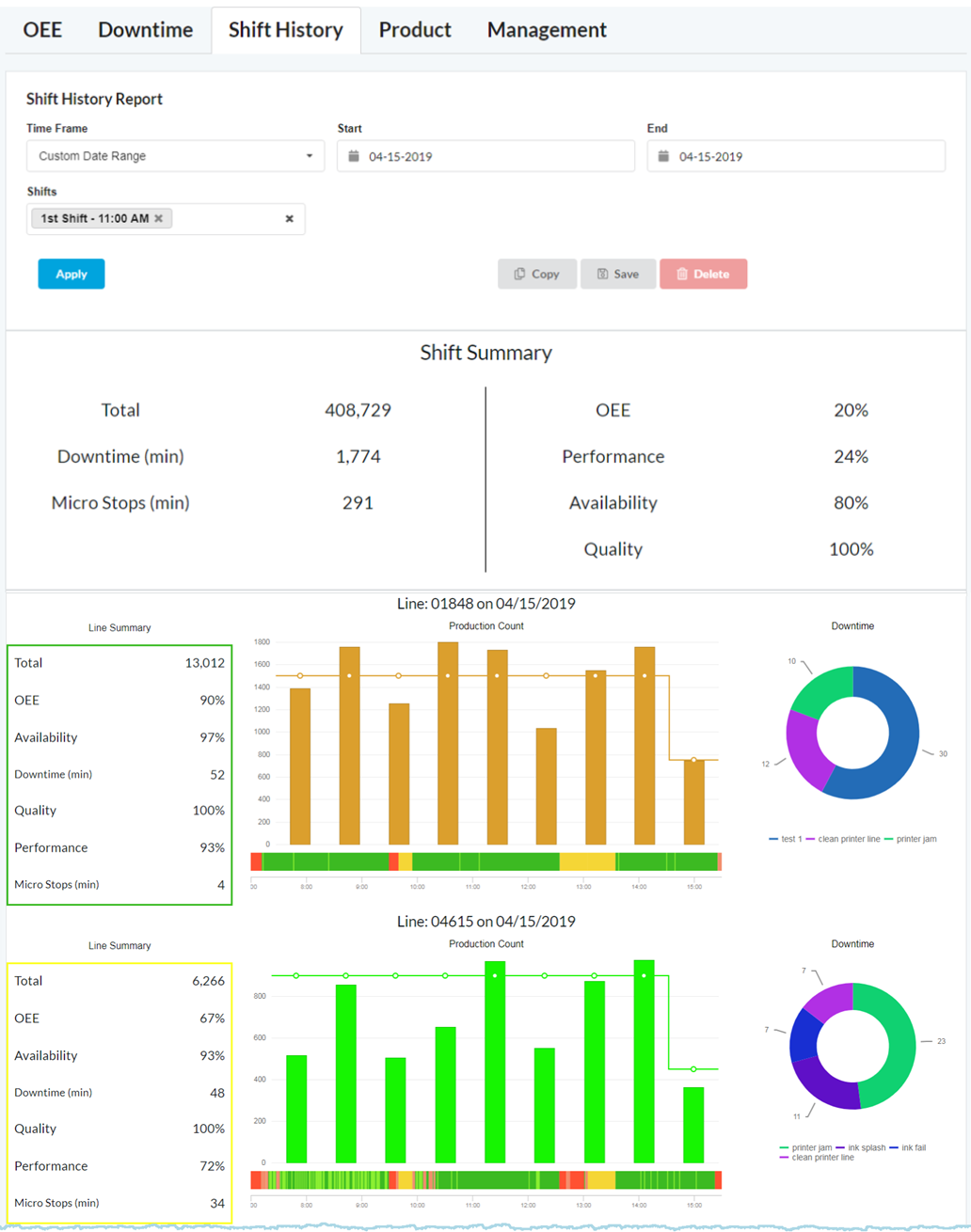
Clicking on the  Tab will display the Shift History Report.
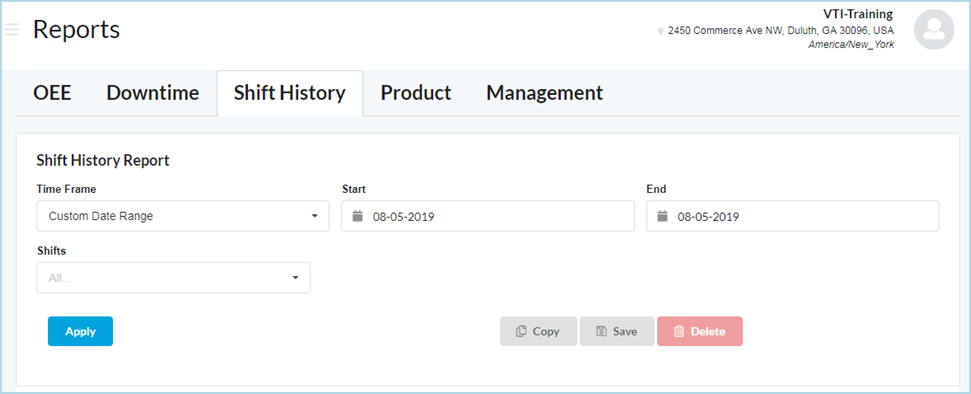
Set the following Filters to display information for specific shifts on specific days in the past.
- Time Frame: Custom Date Range, Yesterday, Last Week, Last 30 Days, This Month, or Last Month
- Start: Starting Date
- End: Ending Date
- Shifts: One or More, or All Shifts
Click Apply to render a graphical display of the OEE Report.
Example Shift History Report
The History Report provides the following information.
Shift Summary: Filtered by the selected Shift and Day.
- Line Summary: Displays the Total Product Count for that day and shift(s), performance information, and total Downtime minutes.
- Production Count Chart: Displays the total count per hour. Also displays the Run and Downtime(Timeline), Production Count per hour (Bar Chart Bars), and the Target Run Rate Line (Bar Chart Line).
- Downtime Chart: Displays the total down time minutes by type of Downtime. Downtime Category Colors can be changed in Edit a Downtime Category .